

VIN VERIFication INSTRUCTIONS
Please review the instructions in order to successfully complete a VIN Check.
Table of Contents
Overview
Thank you for partnering with FitzMark! Please have the driver click the link sent from MYCarrierPackets.com, allow location access, and upload a new picture of the VIN on the Inside of the vehicle (a Cab card will not be accepted).
Once the link is clicked, please press inside the photo box and it will open the camera. Please take a CLEAR IMAGE of the VIN and then press "OK", "Submit" or press the ARROW button to submit the image.
VIN Verification Instructions
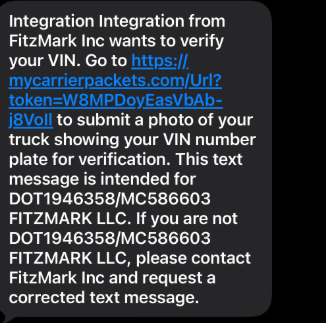
TEXT MESSAGE (MCP link)
The driver will receive a text message requesting them to submit a current photo of their VIN.
Please click on the link from Mycarrierpackets.com.
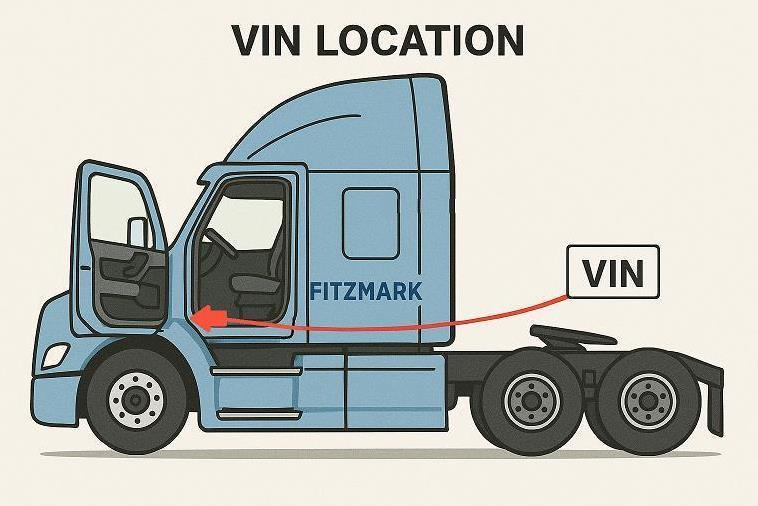
VIN LOcation
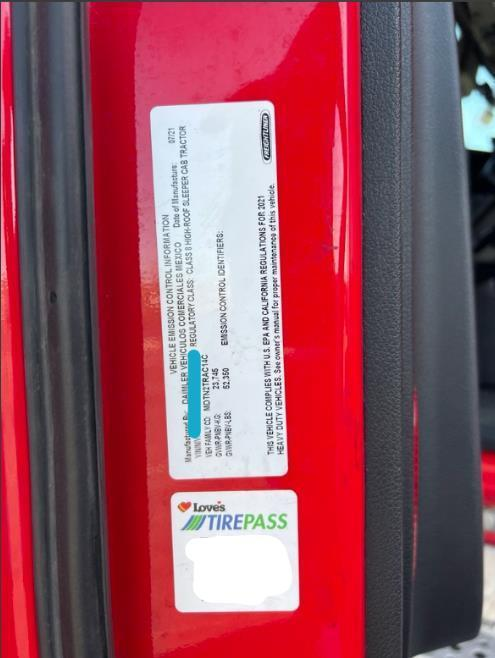
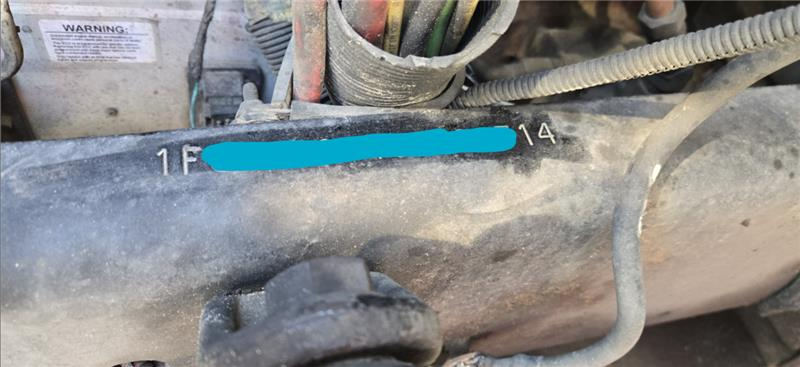
The VIN (Vehicle Identification Number) is located on the inside of the driver’s side door jam or stamped directly onto the passenger-side front frame rail.
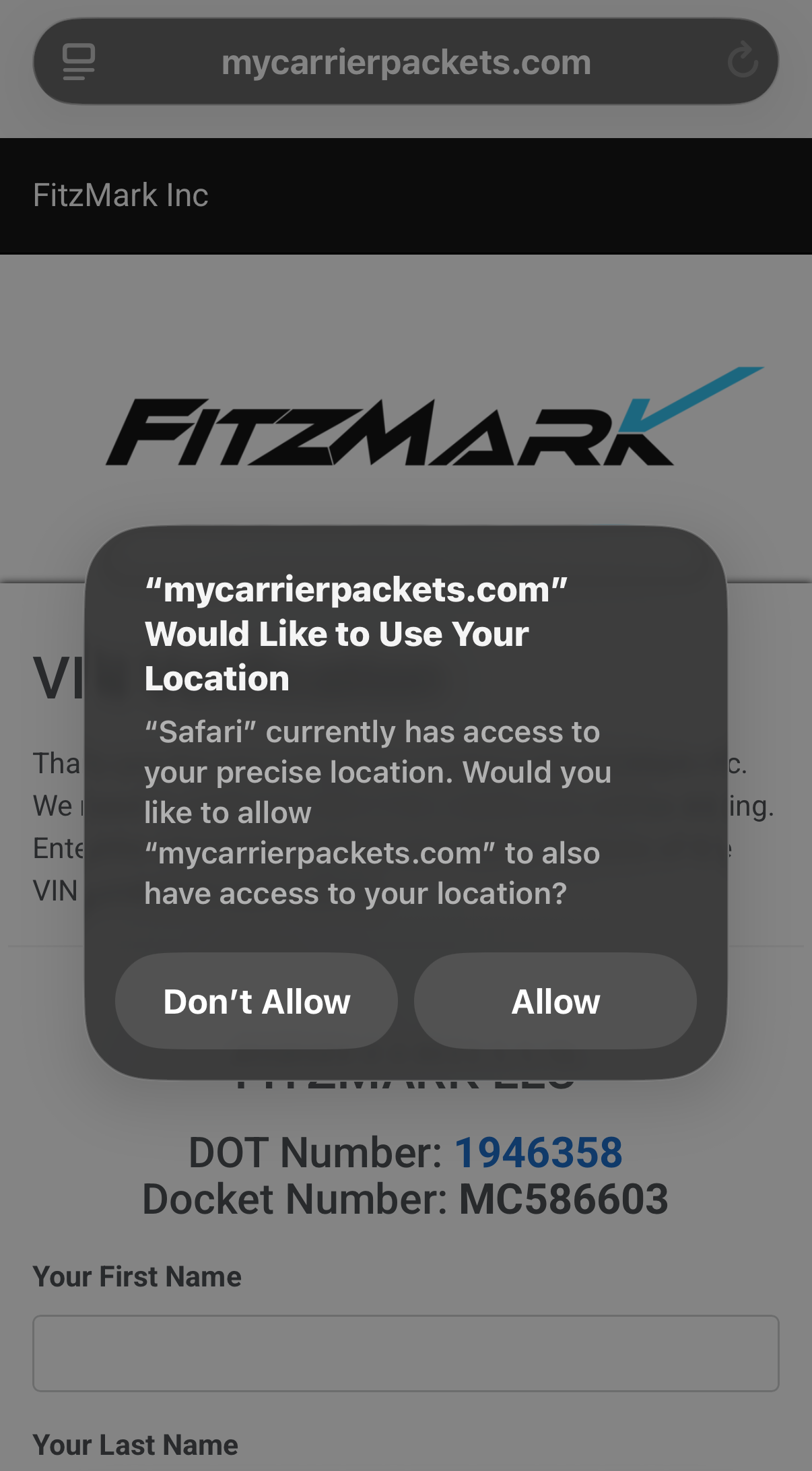
Enable Location settings
Driver’s Location must be shared when submitting a vin Veriphoto. please select “Allow”.
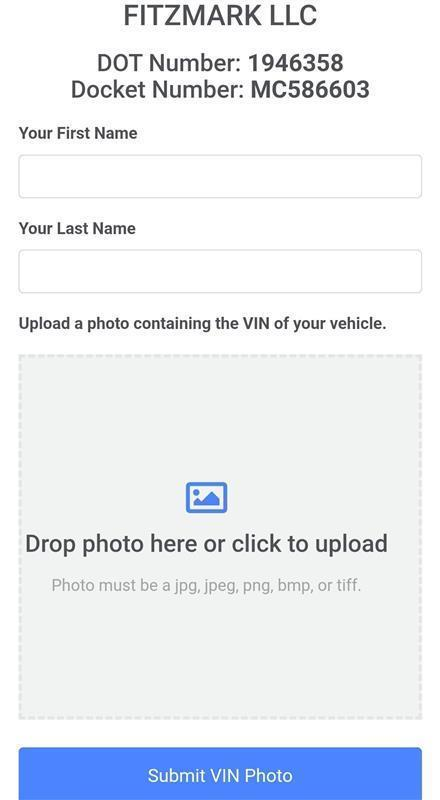
MyCarrierPackets.com link
Driver will need to submit first name, last name, and upload a new photo of the vin.
please press inside the photo box and it will open the camera. Please take a CLEAR picture of the VIN and then press "OK", "Submit" or press the ARROW button to submit the image.
Approved photo examples of Driver’s VIN
Mycarrierpackets.com Error
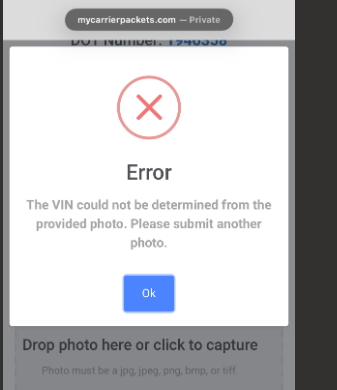
If the driver is receiving an error message when uploading a photo, they must resubmit the photo. the error message indicates the photo is not a clear image.
Screenshots of Driver’s VIN and cab cards will not be accepted.
Troubleshoot Location Settings
If the driver is having an issue, they must close out of all browsers, or go to their settings to enable location sharing (Phone/Browser Settings) and Fitzmark will resend the VIN Verification Link.
Iphone Settings
To submit a photo and successfully complete a VIN check, Driver must enable location services under the browser and camera settings.
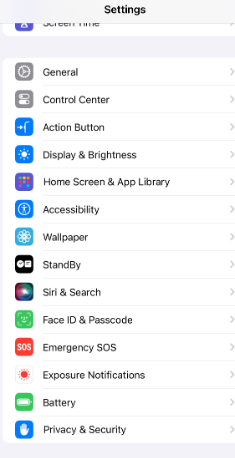
Go into “Settings” and scroll to “Privacy and Security”
Go to “Location Services”
Under the “Location Services” tab, go to “Safari Websites” and toggle setting to “Always/Allow”
The above instructions should be used for Chrome, Safari, and camera location settings.
1. Go into “Settings” and scroll to “Privacy and Security”
2. Go to “Location Services”
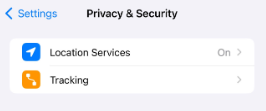
3. Under the “Location Services” tab, go to “Safari Websites” and toggle setting to “Always/Allow”
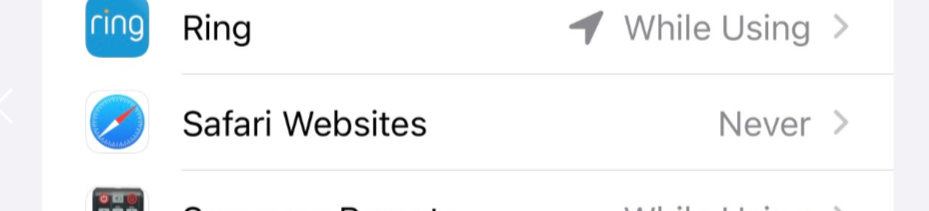
Please toggle settings to “Always/Allow” or “ON” for your web browser and camera settings.
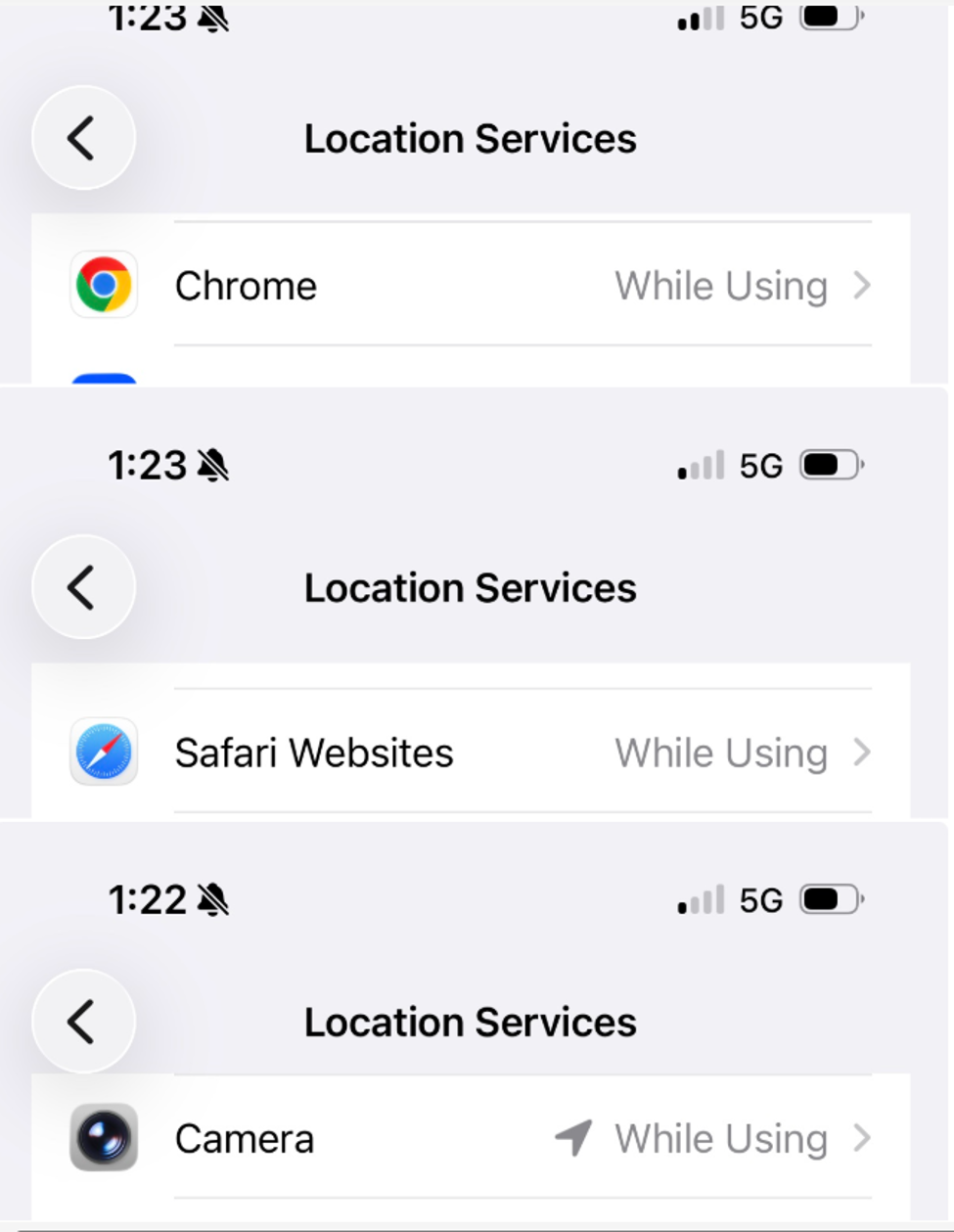
Google Chrome Location Settings
Driver must enable Location Settings for Google Chrome.
Open Chrome and click the 3 dots in the top right corner
Click Settings
Select “Site Settings” (located near the bottom of the settings list)
Select “Location”
Select “Allow sites to access location” or “Sites can ask for your location”
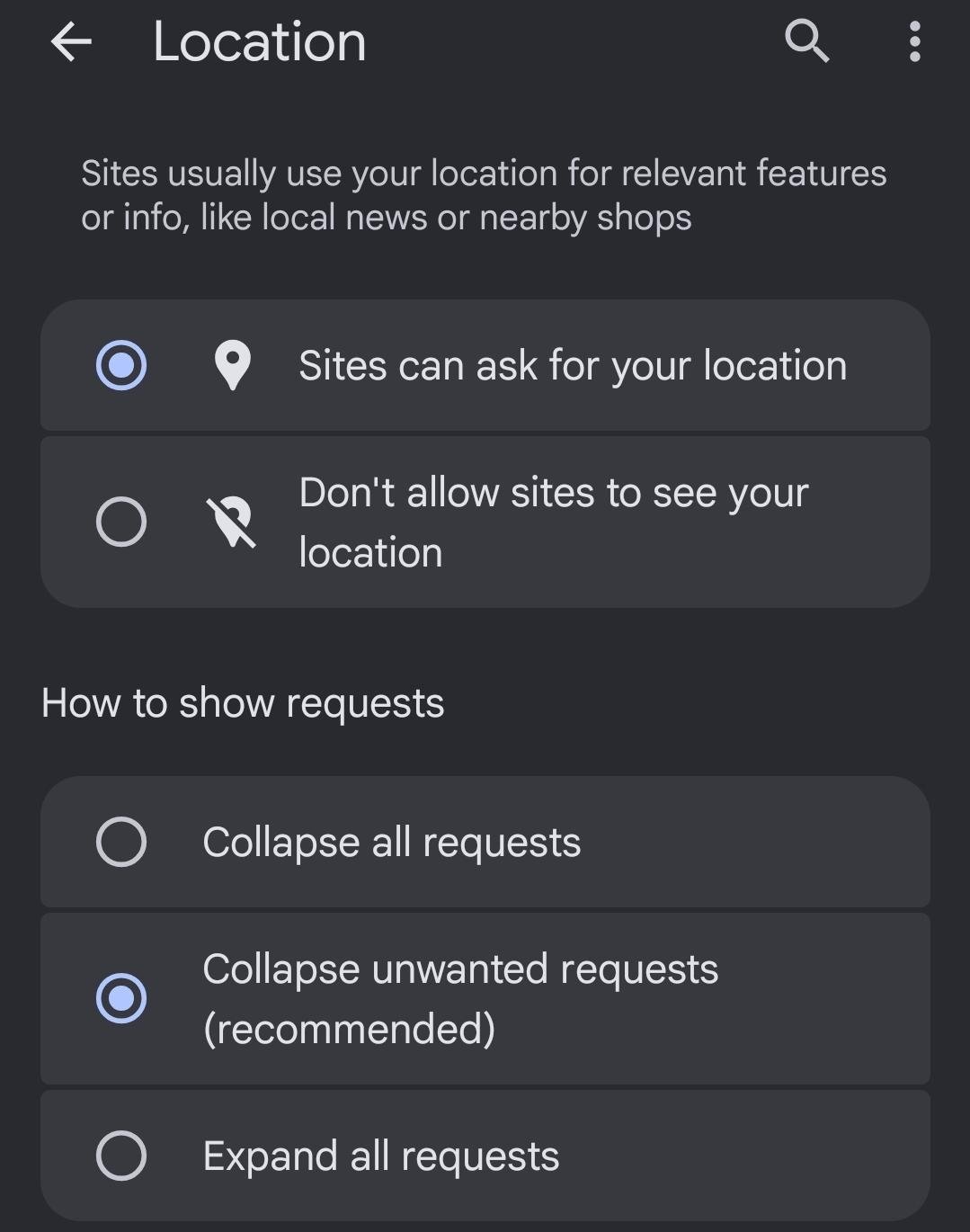
If you are continuing to experience issues regarding your VIN verification photo submission, please contact your FitzMark Representative.
Thank you for being a trusted carrier partner of FitzMark LLC.